I don’t like opening my laptop to a wall of tabs from things I was doing the previous day: it slows my computer down and makes it harder to think. I used to use “The Great Suspender”[1], but what I really want is to just put everything away at the end of the day and start the next from a place of agency instead of momentum.
I made the Chrome extension Tab2Notes to do this. Click the extension, export all the tabs in the current window or across all your windows, pipe them to Apple Notes via the Shortcuts app. Bulk open the URLs with a paste when you want them back.
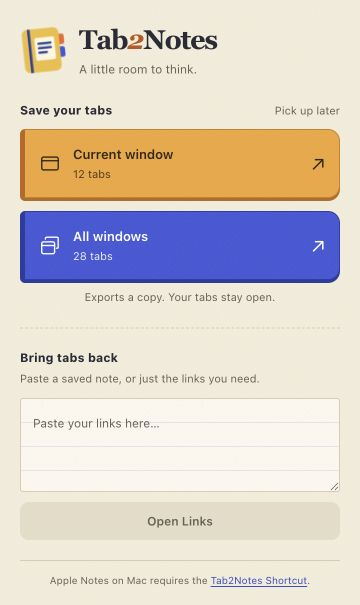
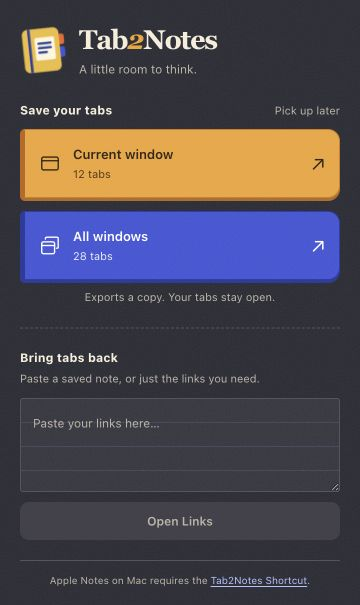
Light and dark themes. Screenshots use example tab counts.
Connecting Chrome and Apple Notes
Chrome Extensions don’t have a direct Apple Notes API. Native messaging could solve this problem but would require installing a whole app instead of a Chrome extension. I found a way around this but it’s a little ugly:
-
Format the tabs as plain text (title, URL, grouped by window if you asked for all windows).
-
Save that as chrome-export-temp.txt via Chrome’s download API.
-
The Extension launches shortcuts://run-shortcut?name=Tab2Notes.
-
The Shortcut reads the file, creates the note, and makes it easy for the user to delete the .txt download.
This has the added benefit of native (slightly degraded since you only get the .txt) support on Windows and Linux.
Restoring tabs just as easily
Bulk opening tabs is a great way to make a mess so I created a few safeguards beyond a simple URL regex. Tab2Notes’ import feature:
-
Parses even bare domains out of any text.
-
Opens tabs 10 at a time to avoid opening them all at once.
-
Drops duplicate URLs.
Try Tab2Notes
- Get Tab2Notes from the Chrome Web Store. Click Add to Chrome, then Add extension.
- On a Mac, download the Tab2Notes Shortcut, open the downloaded file, and click Add Shortcut to connect it to Apple Notes.
- Click Chrome’s puzzle-piece icon, then Tab2Notes. Choose Current window or All windows to save your tabs. You can pin the extension there for easier access next time.
On Windows and Linux, exports save as a text file. The source code and Shortcut are on GitHub.
I still open too many tabs. But now I put them away at the end of the day and start the next morning with a fast computer and more intentionality.
[1] Which seems like it turned into malware